# Agent Monitoring and Debugging with AgentOps
 [AgentOps](https://agentops.ai/?=autogen) provides session replays, metrics, and monitoring for AI agents.
At a high level, AgentOps gives you the ability to monitor LLM calls, costs, latency, agent failures, multi-agent interactions, tool usage, session-wide statistics, and more. For more info, check out the [AgentOps Repo](https://github.com/AgentOps-AI/agentops).
| | |
| ------------------------------------- | ------------------------------------------------------------- |
| 📊 **Replay Analytics and Debugging** | Step-by-step agent execution graphs |
| 💸 **LLM Cost Management** | Track spend with LLM foundation model providers |
| 🧪 **Agent Benchmarking** | Test your agents against 1,000+ evals |
| 🔐 **Compliance and Security** | Detect common prompt injection and data exfiltration exploits |
| 🤝 **Framework Integrations** | Native Integrations with CrewAI, AutoGen, & LangChain |
[AgentOps](https://agentops.ai/?=autogen) provides session replays, metrics, and monitoring for AI agents.
At a high level, AgentOps gives you the ability to monitor LLM calls, costs, latency, agent failures, multi-agent interactions, tool usage, session-wide statistics, and more. For more info, check out the [AgentOps Repo](https://github.com/AgentOps-AI/agentops).
| | |
| ------------------------------------- | ------------------------------------------------------------- |
| 📊 **Replay Analytics and Debugging** | Step-by-step agent execution graphs |
| 💸 **LLM Cost Management** | Track spend with LLM foundation model providers |
| 🧪 **Agent Benchmarking** | Test your agents against 1,000+ evals |
| 🔐 **Compliance and Security** | Detect common prompt injection and data exfiltration exploits |
| 🤝 **Framework Integrations** | Native Integrations with CrewAI, AutoGen, & LangChain |
Agent Dashboard
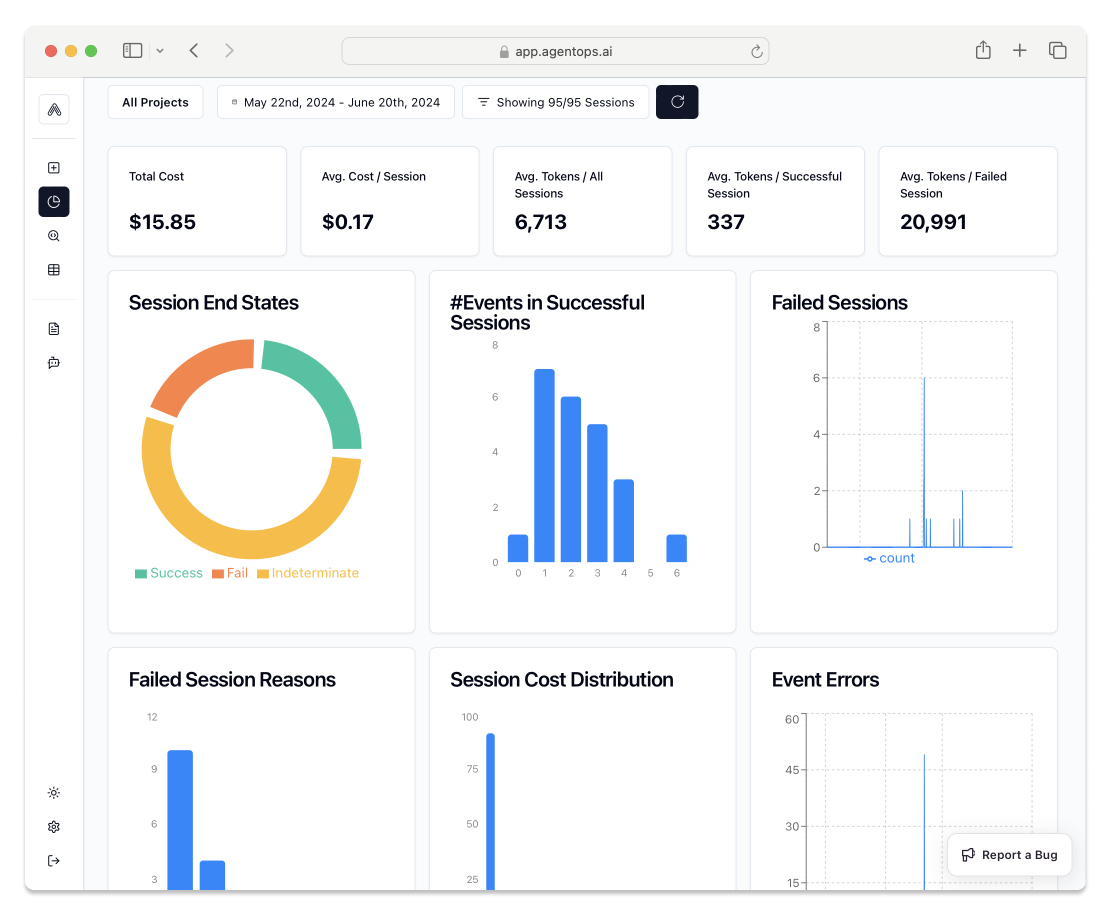
Session Analytics
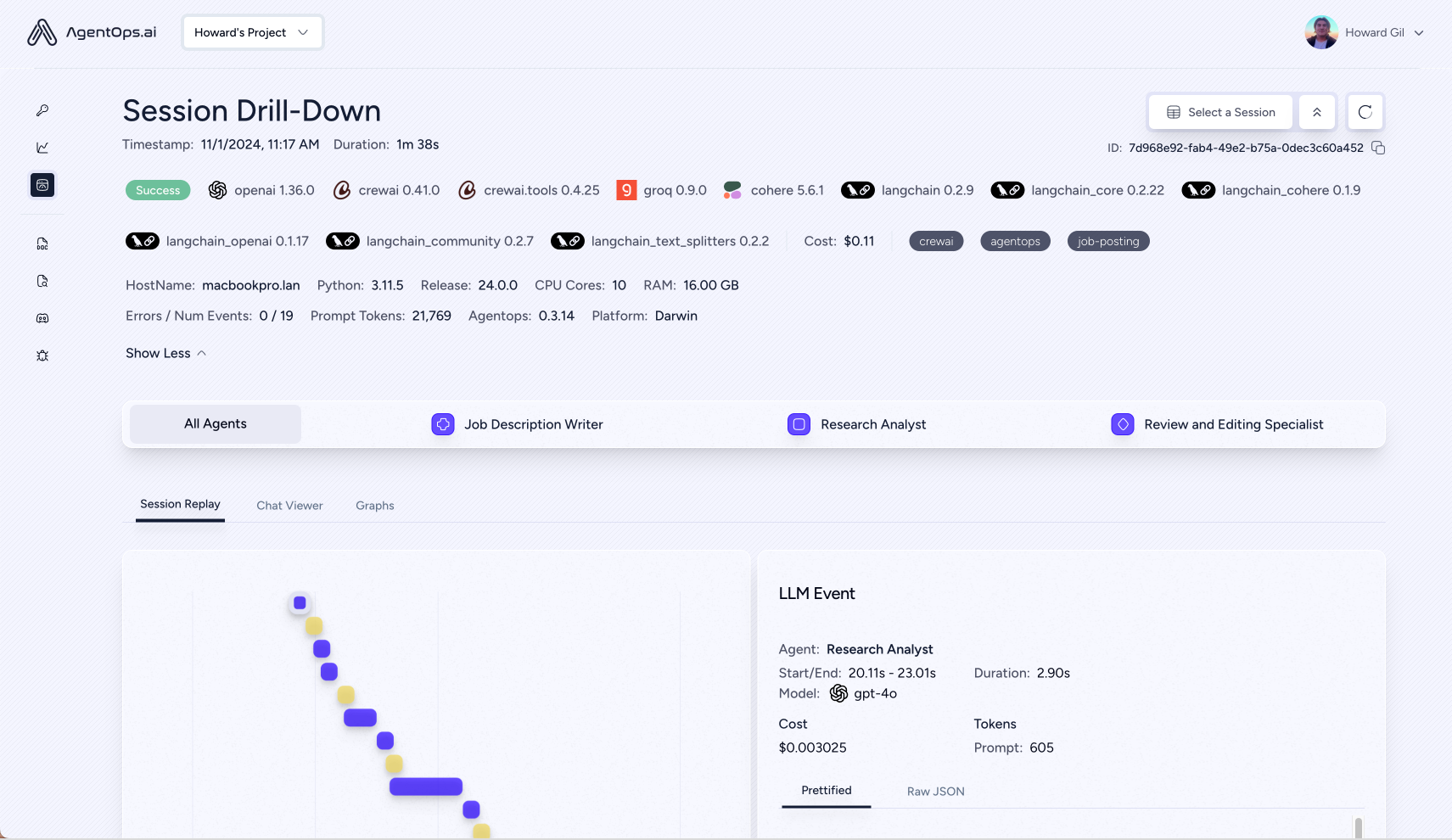
Session Replays

## Installation
AgentOps works seamlessly with applications built using Autogen.
1. **Install AgentOps**
```bash
pip install agentops
```
2. **Create an API Key:**
Create a user API key here: [Create API Key](https://app.agentops.ai/settings/projects)
3. **Configure Your Environment:**
Add your API key to your environment variables
```
AGENTOPS_API_KEY=
```
4. **Initialize AgentOps**
To start tracking all available data on Autogen runs, simply add two lines of code before implementing Autogen.
```python
import agentops
agentops.init() # Or: agentops.init(api_key="your-api-key-here")
```
After initializing AgentOps, Autogen will now start automatically tracking your agent runs.
## Features
- **LLM Costs**: Track spend with foundation model providers
- **Replay Analytics**: Watch step-by-step agent execution graphs
- **Recursive Thought Detection**: Identify when agents fall into infinite loops
- **Custom Reporting:** Create custom analytics on agent performance
- **Analytics Dashboard:** Monitor high level statistics about agents in development and production
- **Public Model Testing**: Test your agents against benchmarks and leaderboards
- **Custom Tests:** Run your agents against domain specific tests
- **Time Travel Debugging**: Save snapshots of session states to rewind and replay agent runs from chosen checkpoints.
- **Compliance and Security**: Create audit logs and detect potential threats such as profanity and PII leaks
- **Prompt Injection Detection**: Identify potential code injection and secret leaks
## Autogen + AgentOps examples
* [AgentChat with AgentOps Notebook](/docs/notebooks/agentchat_agentops)
* [More AgentOps Examples](https://docs.agentops.ai/v1/quickstart)
## Extra links
- [🐦 Twitter](https://twitter.com/agentopsai/)
- [📢 Discord](https://discord.gg/JHPt4C7r)
- [🖇️ AgentOps Dashboard](https://app.agentops.ai/ref?=autogen)
- [📙 Documentation](https://docs.agentops.ai/introduction)